
Cleaning business social media templates
Posting regularly is easier when you aren't starting from a blank screen. Here are 10 post ideas that work for house cleaning and maid services, each available as a free editable template.
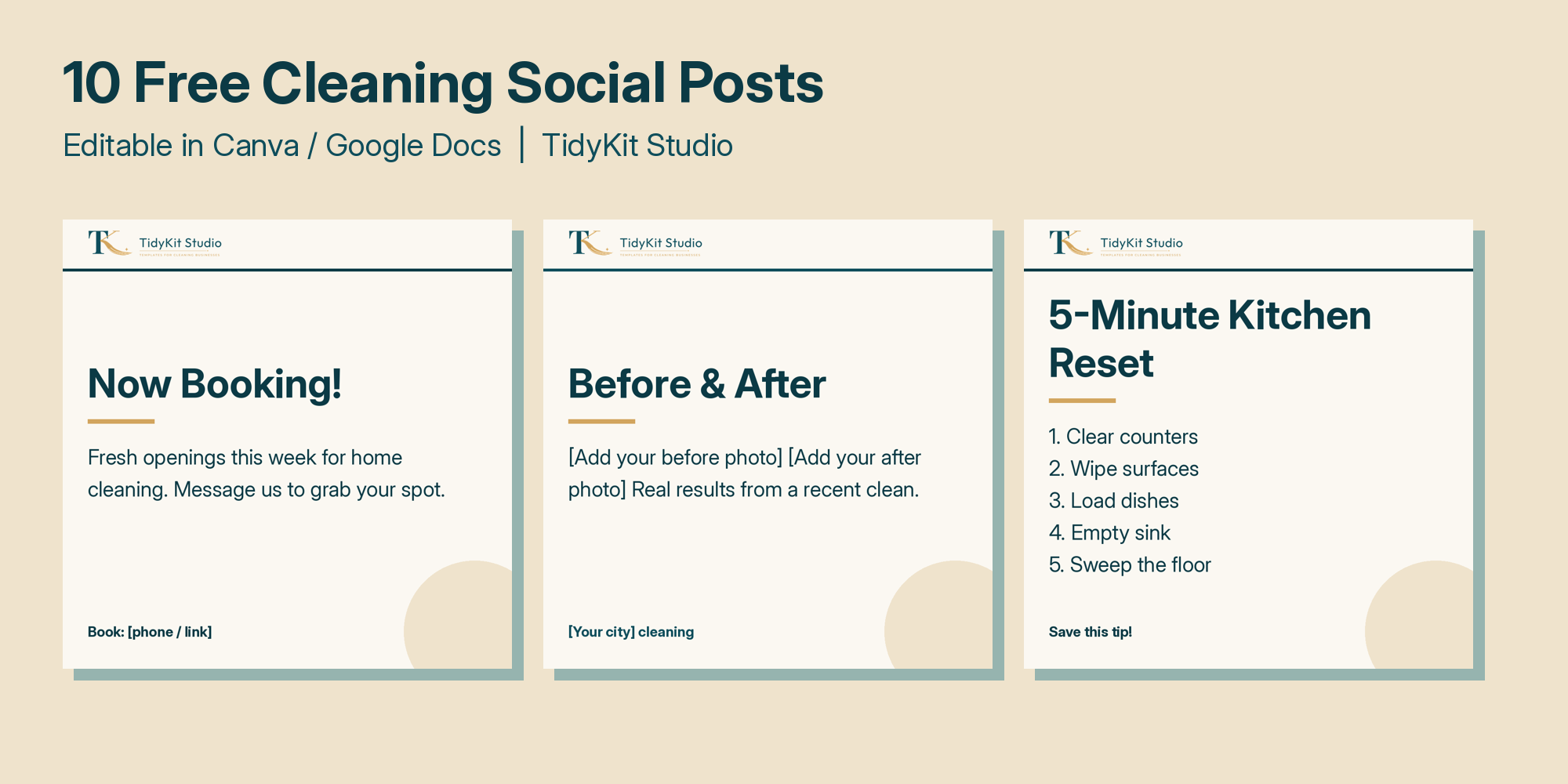
10 post ideas
- Now booking - announce open slots this week.
- Before & after - use your own real photos, with client permission.
- Quick cleaning tip - like a 5-minute kitchen reset.
- Meet your cleaner - helps clients trust who's coming into their home.
- Move-out cleaning - seasonal demand around moving dates.
- Gift cards - holidays and new parents.
- What's included - your standard checklist.
- Refer a friend - spell out your reward.
- Seasonal deep clean - spring and holiday prep.
- Why choose us - list only claims that are true (insured, supplies included, etc.).
Worked example
Monday: "Now booking" post with your open days. Wednesday: a cleaning tip. Friday: a before & after from that week. Three posts a week is a rhythm many small businesses can keep up.
Caption tips
- Add your city in captions and hashtags so local clients find you.
- End with one clear action: message, call or book.
- Never post client homes or faces without permission.
How to customize the templates in Canva
- Open Canva and choose Create a design > Import file, then upload the .pptx (all 10 posts) or a single .svg.
- Replace the business name, brackets and blanks with your details.
- Change the colors to match your brand. Canva's Styles panel can apply a palette to the whole design.
- Add your logo and, where it fits, your own photos.
- Download as PNG and schedule or post.
Photo tips for cleaning content
- Shoot before and after from the same spot and angle, in the same light.
- Natural daylight usually looks better than overhead bulbs.
- Get written permission before posting a client's home, and keep out personal items like mail, photos and house numbers.
- Short clips of a single task (wiping a stovetop, making a bed) can double as Reels or TikToks.
Building a simple weekly routine
Batch your content: pick one time a week to fill in three templates and write the captions, then schedule them. Rotate between three types of post: offers (booking, gift cards, referrals), helpful tips, and trust builders (meet the team, what's included, before and after). Reply to comments and messages quickly, because a fast reply is often what turns a follower into a booking.
Where to post
Facebook and Instagram are common for local service businesses, and Google Business Profile updates help clients who find you through search. Pinterest suits tips and checklists. Choose one or two platforms you can keep up with instead of spreading yourself thin.
Keeping posts consistent with your brand
Use the same two or three colors, one font pairing and the same logo placement on every post, so followers recognize you at a glance. Save your edited version as your own master template in Canva, then duplicate it for each new post instead of starting over. Keep a simple running list of post ideas from real client questions: if three people ask whether you bring your own vacuum, that's a post. Check your messages and comments after each post goes live, and note which types of posts lead to inquiries so you can make more of them.
FAQ
Are the templates free?
Yes, the 10-post pack is a free download.
What size are the posts?
1080x1080 pixels, the standard square size for Instagram and Facebook.
Can I change colors and fonts?
Yes. Import into Canva and change anything, including your logo and brand colors.
Get the free pack