
House cleaning price list template
A clear price list answers the first question most clients ask and makes quoting faster. This guide covers what to put on a house cleaning service menu and how to lay it out. We don't suggest specific prices: rates depend on your area, costs and market, so every price in our template is a blank for you to fill in.
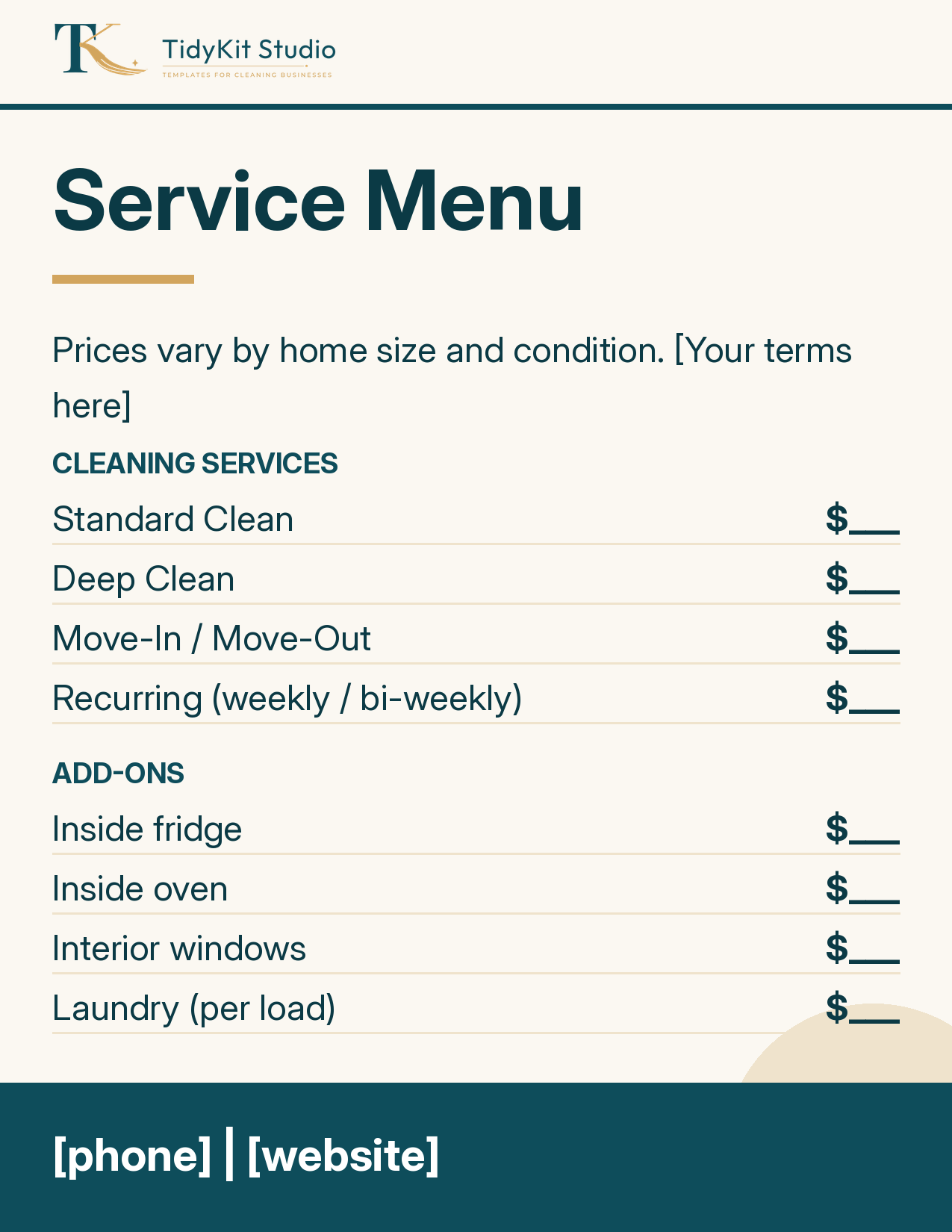
What to list
- Core services: standard clean, deep clean, move-in/move-out, recurring.
- Add-ons: inside fridge, inside oven, interior windows, laundry. Listing them separately keeps the base price simple.
- How price is set: per visit, per hour, or by home size. Say "prices vary by size and condition" if you quote after a walkthrough.
- Your terms: minimums, supplies, cancellation notice.
- Contact: phone, website or booking link, plus a QR code for printed menus.
Layout tips
- Use a two-column table: service on the left, price on the right.
- Group services and add-ons under separate headings.
- Keep it to one page so it works as a flyer, PDF attachment or Instagram post.
Worked example
A cleaner who quotes by walkthrough can show "Standard Clean - from $___" and "Inside oven - $___," then add a line: "Final quote after a free walkthrough." That's honest, and still gives clients a starting point.
The Pricing & Promo pack includes this editable service menu, 3 flyers and a door hanger for Canva.
Ways cleaners structure pricing
There's no single right model. Pick whichever matches how you actually quote, and make the price list reflect it:
- Flat rate per visit - easy for clients to understand. Usually tiered by bedrooms and bathrooms or square footage.
- Hourly - flexible for unusual jobs, but clients may ask for a time estimate up front.
- By home size - a table of size bands (for example 1-2 bedrooms, 3 bedrooms, 4+) with a blank price for each.
- Recurring vs one-time - many cleaners price recurring visits differently from one-time cleans because the home stays cleaner between visits. Show both if you offer both.
Working out your own numbers
Before you fill in the blanks, collect your own data instead of copying someone else's menu:
- Time a few jobs of each type, including travel.
- Add up your costs per job: supplies, fuel, wages, insurance and any platform or payment fees.
- Look at what local competitors publish, remembering that their scope may differ from yours.
- Decide what profit you need and check that each line on the menu covers it.
Where to use your price list
- As a PDF you send right after an inquiry.
- Printed with a QR code to leave after estimates.
- As a highlight or pinned post on social media.
- On your website's services page.
Keep one master version and update every copy when prices change, so clients never see two different numbers.
Presenting add-ons clearly
Add-ons are where confusion usually starts. Describe each one in a few words so the client knows exactly what they are paying for: "inside fridge (emptied by client)" or "interior windows, reachable without a ladder." Say whether an add-on is priced per item, per room or per hour. If some add-ons are only available with a deep clean, mark them. A short line such as "Ask about anything not listed" invites custom requests without cluttering the menu.
FAQ
How much should I charge for house cleaning?
It depends on your local market, costs and service scope. Compare local competitors and your own time per job; our templates leave prices blank for that reason.
Can I edit the price list in Canva?
Yes. Import the .pptx or .svg into Canva and replace the placeholder text.
Should I list prices publicly?
Some cleaners do and some quote only after a walkthrough. A 'from $___' price is a common middle ground.
Get the free pack